# Create Laravel First Project
Install Laravel by issuing the Composer create-project command in your terminal
composer create-project --project-dist laravel/laravel project-name
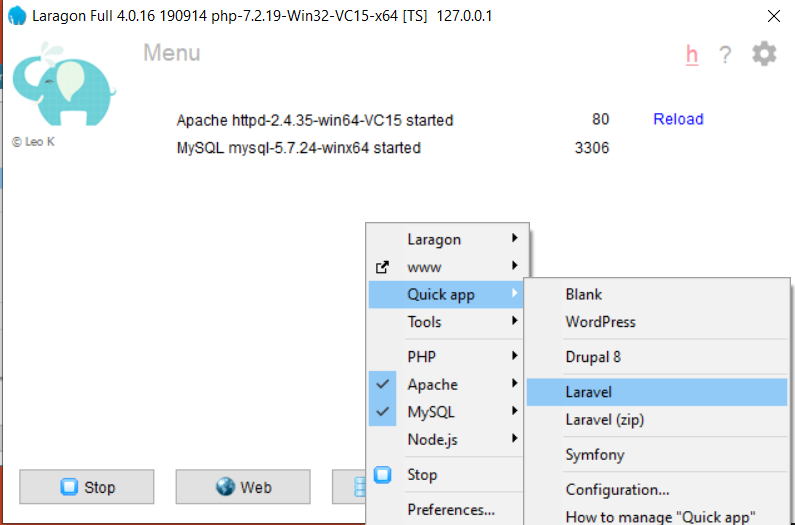
What is Laragon?
Laragon is a portable, isolated, fast & powerful universal development environment for PHP, Node.js, Python, Java, Go, Ruby. It is fast, lightweight, easy-to-use and easy-to-extend.
Why Laragon?
Laragon is great for building and managing modern web applications. It is focused on performance - designed around stability, simplicity, flexibility and freedom.
Laragon improves web development. Developers all over the world are using Laragon to make apps quickly and easily. It is used by thousands of developers with loves. You can check out the Testimonials to see how users think of Laragon and it’s features page for more details.
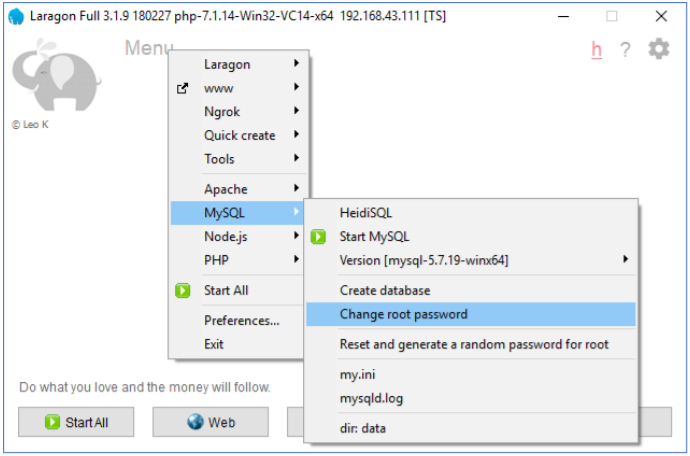
# Change DB root password
# Turn On Laragon
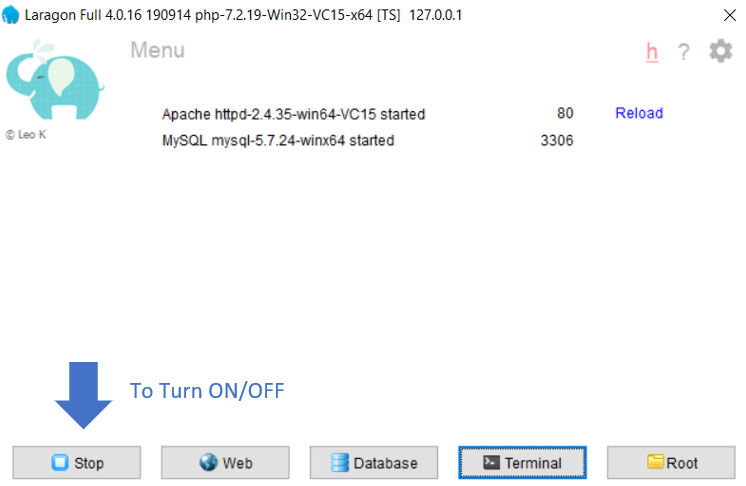
By default Laragon will
served port 80 for Apache
and port 3306 for DB
# Create Project
# Project with Pretty URL
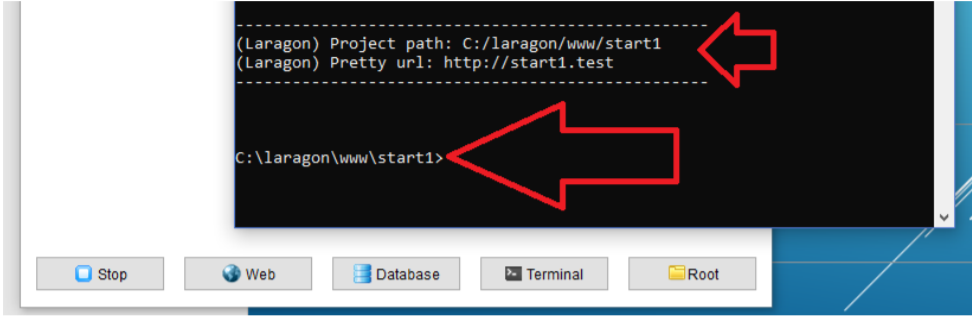
Test the Pretty url in browser
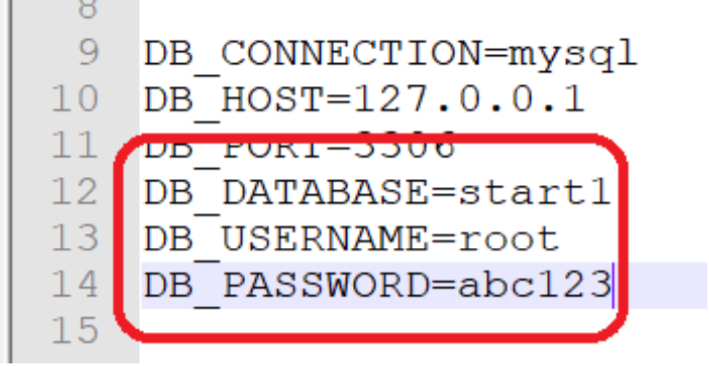
# Update DB credential in .env
# Download and install phpmyadmin.Net
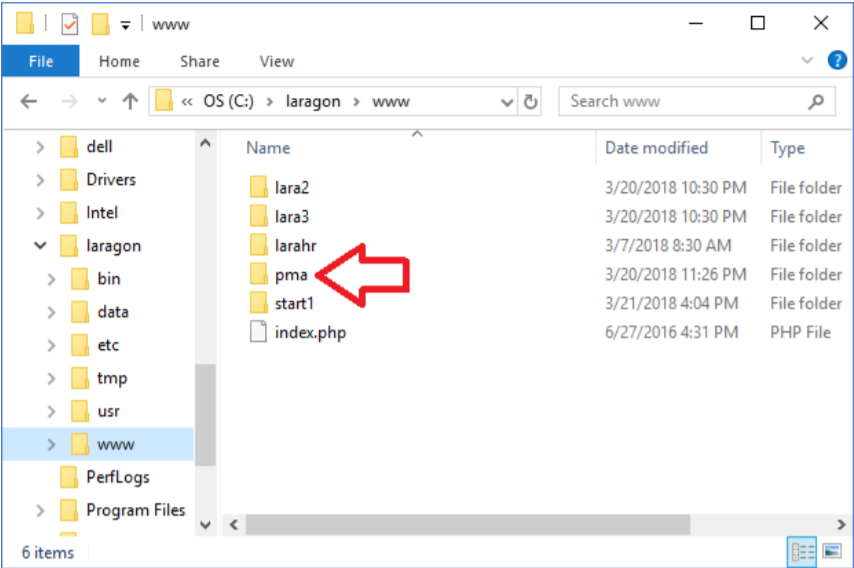
Try access http://localhost/pma
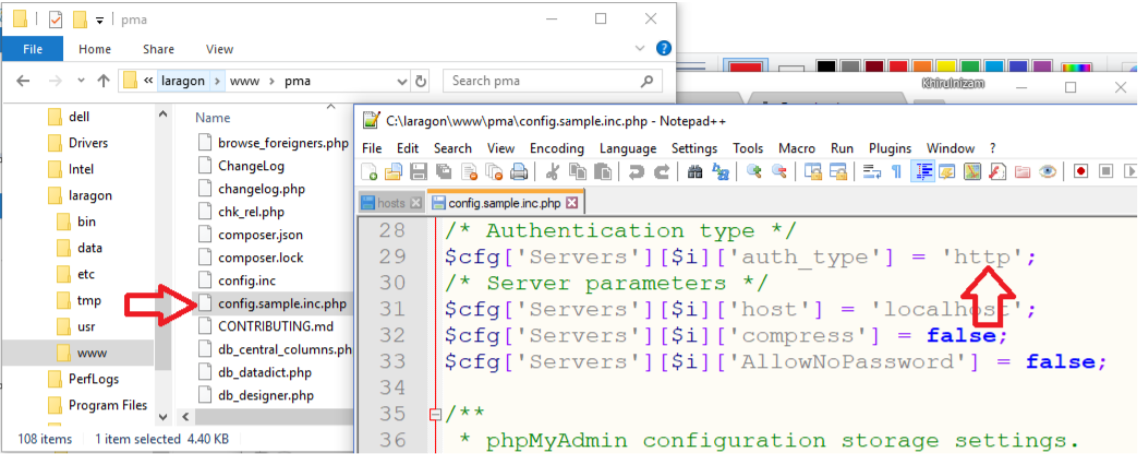
# Phpmyadmin config.inc
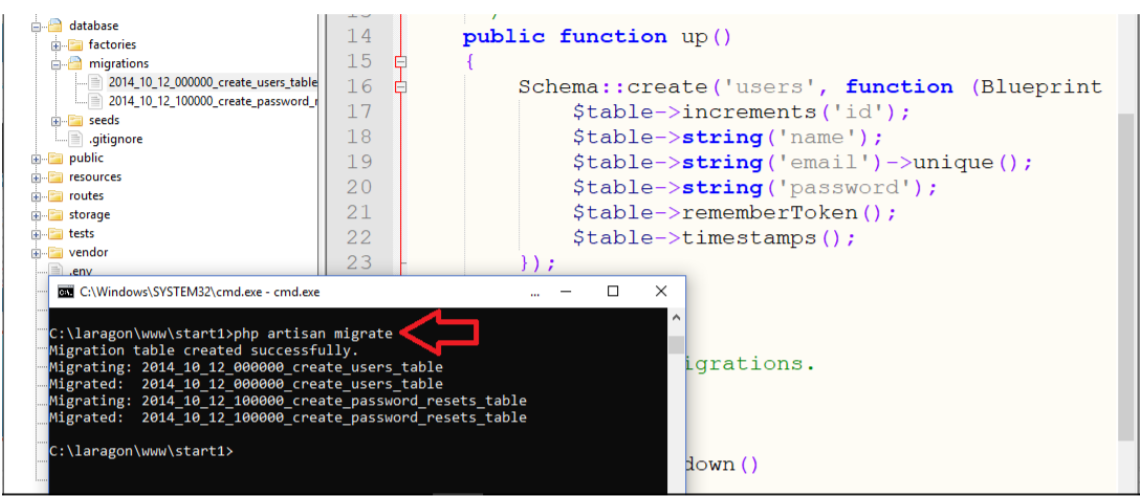
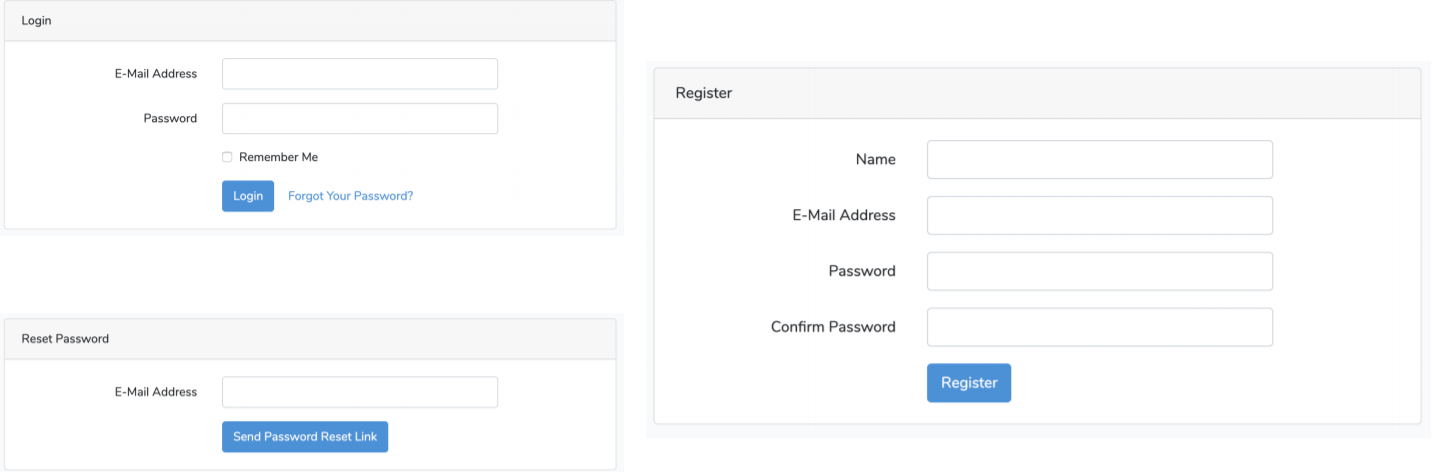
# Authentication Module
Laravel makes implementing authentication very simple. In fact, almost everything is configured for you out of the box.
composer require laravel/ui --dev

php artisan ui vuew --auth

npm install

npm run dev